Cheeks Family Facebook Group Membership
The Cheeks Family Facebook Group is a rules-based, curated “safe space” for identified and registered Cheeks relatives to keep in touch virtually and share family related information.
Verifying Cheeks Family Relationship
Membership in Cheeks Family Facebook Group is open to all Cheeks relatives. As part of requesting membership, you may need to verify your family relationship to the Cheeks family.
If you received an email invitation from the Cheeks Family System administrator or if you are a registered family member of the Cheeks Family Website, no further verification of your relationship to the Cheeks family is necessary. You may begin the membership process described in the next section.
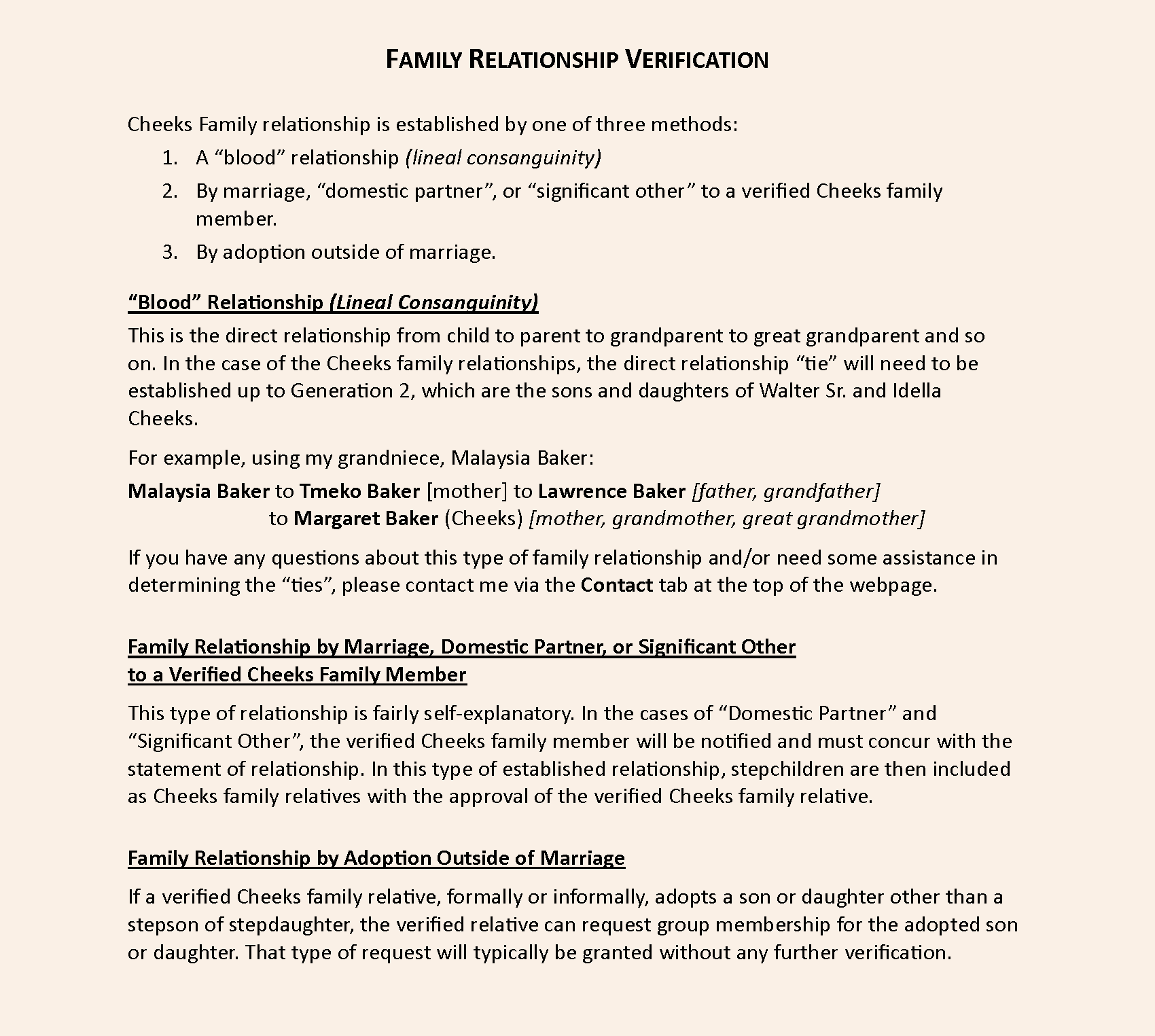
If you have not received an email invitation to join the family Facebook group, you will need to verify your family relationship to the Cheeks family as part of your membership request. Click the button below for a detailed description of the various way to verify your family relationship to the Cheeks family.
You also have the option to print or download that description as a PDF document.
Note: The print function will only work if there is a printer configured with the desktop/laptop/tablet/phone you are using.
Requesting Cheeks Family Facebook Group Membership
Click the link below to display a separate webpage with the detailed steps that will guide you through the process of requesting membership in our Cheeks Family Facebook Group.
You also have the option to print or download that description as a PDF document.
Requesting Cheeks Family Facebook Group Membership 🖨️Print Download
Membership Request Review and Confirmation
- Your request will be reviewed by the family Facebook Group administrator to confirm you were sent an email 'invitation to join' or if not an email recipient, confirmation of the submitted Cheeks family relationship information
- If the confirmation is positive, your request to join the group will be approved.
- When approved, you will receive a “Welcome” email from the group administrator. Please read that email prior to posting/commenting on the group page. The email restates the "rules" for participating in the group, as well as further information about the group.
Dependent upon how your personal Facebook account is configured, when you first access the group page, a “Welcome” message will be displayed. That “Welcome” message will refer you to the “Welcome” email described above.
If you know of any other Cheeks relative who would like to be a member of the family Facebook group but has not received an invitation email, please email them with a link to this webpage: CFS Facebook Group Membership.